

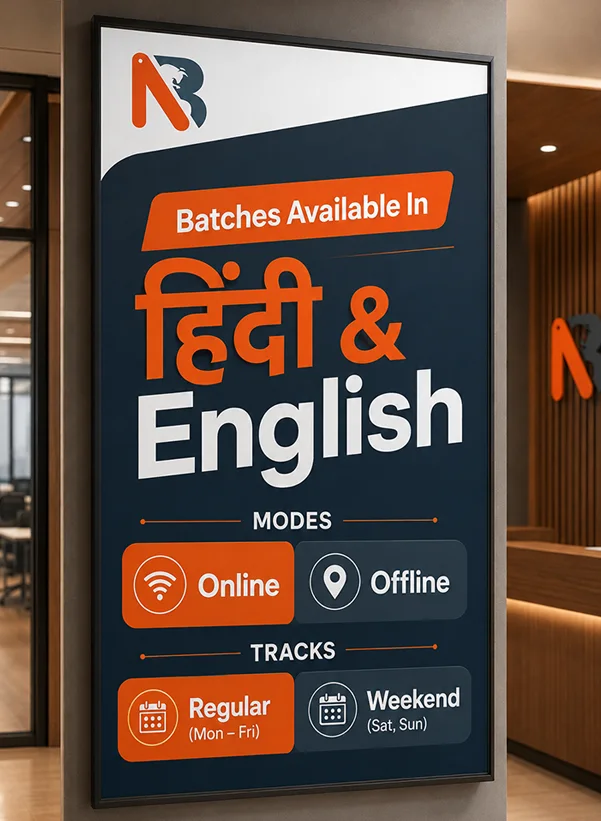
Regular
Mon-Fri
The CCNA course at Network Bulls is designed for beginners, students, graduates, non-IT learners, and working professionals who want to build a strong foundation in computer networking and develop the practical skills required to start or advance a career in IT infrastructure and networking.
The training is aligned with the current Cisco CCNA 200-301 v1.1 learning areas. The training is aligned with the current Cisco CCNA 200-301 v1.1 learning areas and is designed to prepare students for the Cisco CCNA certification exam. It covers the six major CCNA domains—Network Fundamentals, Network Access, IP Connectivity, IP Services, Security Fundamentals, and Automation & Programmability—and helps students understand how these technologies are configured, verified, and troubleshot in a network environment.
Learn Networking by Doing, Not Just by Reading
At Network Bulls, CCNA training should go beyond memorizing commands or preparing only for a certification exam. Concepts taught in class are supported by configuration, verification, and troubleshooting practice, helping students understand what happens when a network works—and how to identify the problem when it does not.
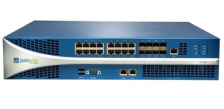
Students get hands-on exposure to Cisco routers, switches, and networking lab environments.
|
Who Can Join the CCNA Course? CCNA can be a suitable starting point if you are:
|
| Prerequisite: Prior professional networking experience is not required to begin learning the CCNA fundamentals. The important requirement is an interest in technology and a willingness to learn and practice consistently. |
Certification-focused training aligned with Cisco Automation topics.
Start from Python fundamentals and progress to network scripts.
REST APIs, JSON, YANG, NETCONF and RESTCONF.
Automate real networking workflows using Cisco platforms and practical lab environments.
Build the skills required to work with software-driven networking environments.
Learn modern infrastructure automation and IaC concepts.
Each module is designed to ensure students gain a deep understanding of core concepts while applying them in real-world scenarios.
vIOS Router
Cisco CSR 1000V(XE 3.x)
Available in offline classroom mode for all students joined the course.
Available in online mode for all students joined the course.
Available in offline classroom mode for all students joined the course.
Mon-Fri
Free Career Advice: One Click Away!
CCNA Automation Training – Cisco 200-901 CCNAAUTO v1.1
Facilities :
Note - The NB training fee doesn't include exam fees.
5% off per head for groups of 2 students.
7.5% off per head for groups of 3 students.
10% off per head for groups of 4 students.
12.5% off per head for groups of 5 or more students.
Our Expert Councellor will Resolve all doubts and queries you still have and will assist you personally to get enrolled. To get a dedicated councellor
CCNA builds your networking foundation, while CCNA Automation teaches you how to automate and program modern networks. CCNA focuses on routing, switching, IP connectivity, security, and networking fundamentals, whereas CCNA Automation adds skills such as Python, APIs, software development, infrastructure automation, and Cisco platform programmability. The two complement each other, especially for Network Engineers moving toward automation.
Yes. Cisco DevNet Associate was renamed CCNA Automation from February 3, 2026. Cisco states that the associate-level certification content remained the same during the naming transition. This makes the automation certification path easier to understand alongside CCNA, CCNP Automation and CCIE Automation.
200-901 CCNAAUTO is the exam associated with Cisco CCNA Automation certification. It validates foundational skills in software development, APIs, Cisco platforms, application deployment and security, infrastructure automation, and networking fundamentals.
Cisco does not require a formal CCNA certification as a prerequisite for CCNA Automation. However, at Network Bulls, we recommend CCNA-level networking knowledge so you can understand how the network works before learning how to automate it.
No prior Python or programming knowledge is required to start the Network Bulls course. The training begins with Python fundamentals and gradually moves toward APIs, network automation, and automation tools.
Yes. Python starts from the fundamentals, including installation, syntax, variables, data types, input/output, control flow and data structures, before students use Python for networking and automation tasks.
Yes. The Network Bulls CCNA Automation course is designed to prepare learners for the Cisco 200-901 CCNAAUTO exam while also building practical automation skills. The focus is on understanding concepts and applying them through hands-on automation exercises rather than only preparing theoretically for the certification.
The course covers technologies such as Python, REST APIs, JSON, YAML, YANG, NETCONF, RESTCONF, Ansible, Terraform, Git concepts and Cisco platform APIs, along with practical network automation workflows. These skills help Network Engineers move beyond repetitive CLI-based operations toward programmable networking.
Students work on automation use cases such as configuration backups, device reachability checks, VLAN/interface automation, retrieving network information through APIs and automating Cisco device operations. The objective is to convert programming and API concepts into practical networking tasks.
CCNA Automation skills can help you progress toward roles such as
depending on your overall networking, programming, and practical experience. Cisco itself identifies Network Automation Engineer as one of the potential roles associated with the certification.
Yes, especially for Network Engineers who already understand routing and switching. CCNA Automation helps you add Python, APIs and automation to your networking knowledge so that repetitive configuration, monitoring and operational tasks can increasingly be handled programmatically.
Yes. It can be a strong first step toward NetDevOps because it combines networking with software and automation skills.
You learn concepts such as Python, APIs, Git, automation workflows, and infrastructure automation that are important when networks are managed through software. For deeper NetDevOps and automation roles, you can later progress toward CCNP Automation and more advanced DevOps skills. Cisco specifically positions its Automation Professional path as suitable for NetDevOps-oriented careers.
If you want to continue deeper into network automation, programmability, and NetDevOps, CCNP Automation is the natural next step. Depending on your career role, you can also combine automation skills with CCNP Enterprise, Data Center, Cloud, Security, or other infrastructure technologies.
Cisco's current automation path progresses from CCNA Automation → CCNP Automation → CCIE Automation.
Yes. Network Bulls offers CCNA Automation through classroom and live online training. The current regular program runs for approximately 30 days, with 2 hours of training per day, while lab access benefits vary between classroom and online modes.
The Cisco CCNA Automation certification is earned by passing the 200-901 CCNAAUTO exam.
The exam duration is 120 minutes, and the exam fee is US$300.
The exam is available in English and Japanese and includes question formats such as multiple-choice, drag-and-drop, and performance-based questions.
The major exam areas include Software Development, APIs, Cisco Platforms, Application Deployment & Security, Infrastructure Automation, and Network Fundamentals.
Passing the 200-901 CCNAAUTO exam earns the Cisco CCNA Automation certification.