(CCNA+CCNP+CCIE)Security

Master Network Security: CCNA + CCNP + CCIE in One Program

Overview & Key Highlights of the Program

Start from basics and become an expert with our complete CCNA + CCNP + CCIE Security program.
Learn routing, switching, firewalls, VPNs, and advanced security technologies with hands-on labs.
Get industry-ready skills and move towards high-paying security roles.

Pre-requisite: No prior technical knowledge required

 Become Expert Level Network Security Professional Become Expert Level Network Security Professional
 World’s most Prestigious and Highest Paid IT Certification World’s most Prestigious and Highest Paid IT Certification
 In-depth training by certified and experienced trainers In-depth training by certified and experienced trainers
 24x7 Lab Facility to ensure uninterrupted and world class learning experience 24x7 Lab Facility to ensure uninterrupted and world class learning experience
 Fully Equipped CCIE Security V6 Racks with 24x7 Lab Facility Fully Equipped CCIE Security V6 Racks with 24x7 Lab Facility

What You Will Learn: Modules

Each module is designed to ensure students gain a deep understanding of core concepts while applying them in real-world scenarios.

Module 1

CCNA Security

In this module you will learn the fundamentals of networking security, and Cisco security tools
CCNA Security
Module 2

CCNP Security

Testifying, deploying, configuring, maintaining and troubleshooting Cisco devices used for providing network security.
CCNP Security
Module 3

CCIE Security V6.1

learn expert-level advance network security concepts, also prepare for CCIE certification exam.
CCIE Security V6.1
Module 4

Palo Alto Firewall

Introduction to Palo Alto Networks: Overview, product portfolio, PAN-OS Firewall Platforms & Architecture: Hardware, VM-Series Initial Setup: Web UI, CLI, basic config, management interface Interface Types & Zones: Tap, Layer 2/3, Virtual Wire, zones Security Policies: Policy types, rule creation. Network Address Translation (NAT): Source/Destination NAT, use cases Routing on PAN-OS: Static, OSPF, BGP intro, virtual routers Objects and Services: Address, Service, Tag, Group objects Application-ID (App-ID): Application recognition, dependency resolution User-ID Integration: AD integration, User-ID agents Content-ID: Threat prevention, antivirus, anti-spyware, vulnerability protection SSL Decryption: Types, configuration, certificates URL Filtering: Categories, profiles, best practices Wild Fire: File analysis, integration, use cases Global Protect VPN - Overview Global Protect Configuration:-Portal & Gateway setup Site-to-Site IPSec VPN :-IKEv1/IKEv2 phases, crypto profiles, tunnels Advanced VPN Scenarios:- overlapping subnets, troubleshooting High Availability (HA): HA architecture, configuration, failover Troubleshooting Tools: CLI tools, packet capture, log analysis Panorama Overview
Palo Alto Firewall
Module 5

FortiGate Firewall

Deployment and system configuration 1. Perform initial configuration 2. Configure an FGCP HA cluster 3. Diagnose resource and connectivity problems Firewall policies and authentication 1. Configure firewall policies 2. Configure SNAT and DNAT options in firewall policies 3. Configure different methods of firewall authentication 4. Explain how to deploy and configure FSSO Content inspection 1. Explain and inspect encrypted traffic using certificates 2. Identify FortiGate inspection modes and configure web filtering 3. Configure application control to monitor and control network applications 4. Configure antivirus scanning modes to neutralize malware threats 5. Configure IPS to protect networks from threats and vulnerabilities Routing 1. Configure and route packets using static routes 2. configure OSPF and BGP routing 3. Describe and configure SD-WAN VPN 1. Configure and implement different SSL VPNs to provide secure access to your private network 2. Implement a meshed or partially redundant IPsec VPN 3. Implement IPsec VPN IKE version 2 4. Describe and configure ADVPN Administration 1. Describe Forti Manager features 2. Perform initial configuration Device Manager 1. Register devices in ADOMs 2. Diagnose issues using the revision history Policy and Objects 1. Perform policy and object management 2. Perform policy imports and installations Troubleshooting
FortiGate Firewall

Choose Network Bulls – Here’s Why

  • 24/7 open World’s Biggest Lab

    24/7 open World’s Biggest Lab

    Our Lab is the world's Biggest and open 24x7. Don’t look at the clock while visiting NB for lab practice.

  • 100% Practical on Real Devices

    100% Practical on Real Devices

    Master networking by configuring actual routers, switches, and firewalls.

  • Unlimited Repetition

    Unlimited Repetition

    You can redo the same course as many times you want. Lifetime Access to our Labs too.

  • Unlimited Lab Access

    Unlimited Lab Access

    Available in offline classroom mode for all students joined the course.

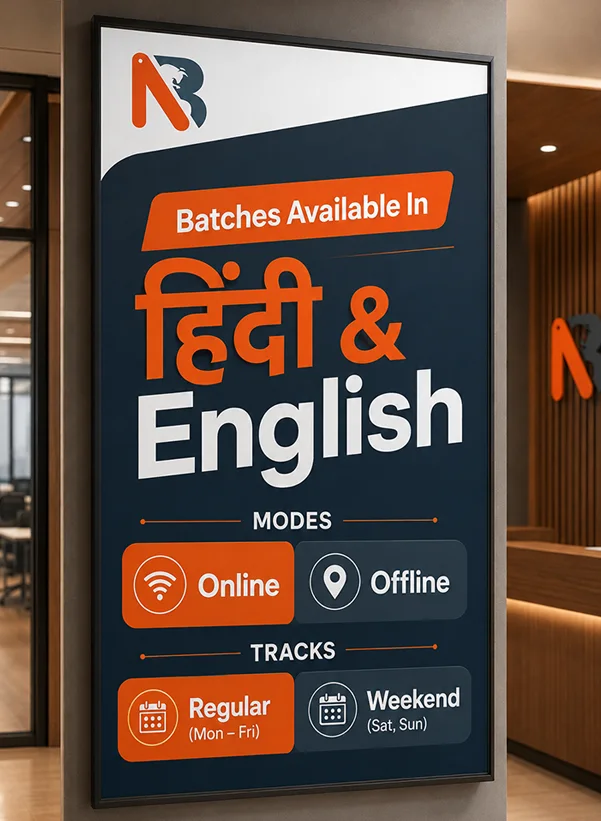
Batches available in Hindi & English

Training Plan

Training Plan 1

Regular

Mon-Fri

Duration 4 Months
Hours 2 Hours A Day
Available Training Modes Online/Offline
Training Plan 2

Intensive

Mon - Fri

Duration 4 Months
Hours 2 Hours A Day
Available Training Modes Online/Offline
  • Lab Practice and Grooming Classes mandatory 2 hours per day.
Training Plan 3

Weekend

Sat - Sun

Duration 6-7 Months
Hours 3 Hours A Day
Available Training Modes Online/Offline
  • As per your schedule and convenience

Training Batch Schedule

Weekend
Sat, Sun
27 June 2026 11:00 AM - 2:00 PM Mode – Online/Offline Book Demo!
Regular
Mon-Fri
16 July 2026 10:00 AM - 12:00 PM Mode – Online/Offline Book Demo!

Let's Build Your Career Together

Free Career Advice: One Click Away!

+91

Thanks for Reaching Out!

Our team will contact you shortly. For quicker assistance, call us at +91-7840018889

📢 Stay updated with networking trends, batches, and success stories — Join Our WhatsApp Channel

Our Recent Placement Stories

  • 10x more placements than any other Cisco Networking institute in India
  • 15+ best placement awards
  • 100+ hiring partners
  • Starting salary package offered INR Upto 12 LPA
  • Unlimited Re-placements @30-40% hike every year
  • 90% Students get placed without appearing in Cisco exams

Our Recent Placement Stories

Shruti Aggarwal
Shruti Aggarwal
Team Computers
CCIE Enterprise
Mohd Izhar
Mohd Izhar
Diversified
CCIE Enterprise
Vikas Singh Sengar
Vikas Singh Sengar
Team Computers
CCIE Security
Rohit Rauniyar
Rohit Rauniyar
Radius Infratel
CCIE Enterprise
Suhani Jaiswal
Suhani Jaiswal
Team Computers
CCIE Security
Abhiram Pradhan
Abhiram Pradhan
Unified infosystems
CCIE Enterprise

Get Started Today

(CCNA+CCNP+CCIE)Security

One Time Payment Plan

95,000/-
Request Demo!


  • All taxes
  • Study material: Books by Cisco, PDFs
  • Lifetime membership


Note: The NB Training Fee doesn't include any exam fee.

Installment payment plan

Pay in 3 easy installments

120,000/-
Request Demo!
  • Down payment- INR 40,000/-,
  • 1st Installment - INR 40,000/2nd month
  • 2nd Instalment - INR 40,000/3rd month


Notes - The NB training fee doesn't include exam fees.

Fee includes: All features of One-Time payment plan


Group Discounts

10% off per head for groups of 2 students.

15% off per head for groups of 3 students.

20% off per head for groups of 4 students.

25% off per head for groups of 5 or more students.

How to Enroll?

Our Expert Councellor will Resolve all doubts and queries you still have and will assist you personally to get enrolled. To get a  dedicated councellor

Chat On Whatsapp

+91 7840018889

Comments And Ratings

Dive into the world's premier Cisco training with Network Bulls.

Post Your Reviews and comments

For a free career advice We are available here

Fill the form. We will reach you soon.

WhatsApp
Fill the form below.

Enquiry

Form

+91

Thanks for Reaching Out!

Our team will contact you shortly. For quicker assistance, call us at +91-7840018889

📢 Stay updated with networking trends, batches, and success stories — Join Our WhatsApp Channel