The internet has changed everything about how we learn nowadays. Anyone can study hundreds of different videos on networking tutorials, certification training, and even Cisco configurations, regardless of where they are located in the world. Videos will help you understand the theory, learn command-line commands, and prepare for your exams.
However, there comes a time when watching videos on network configuration is no longer enough. To become a skilled network engineer, you need much more than memorizing commands presented in videos. An employer needs someone who can connect devices, create network configurations, resolve unforeseen problems, and work with hardware under stress.
That is where a real networking lab comes into play.
In a practical lab, theory becomes practice.
In addition to just viewing different network setups, learners will be able to construct networks, link actual devices, configure routers and switches, resolve hardware problems, solve connectivity problems, comfortably use the Cisco Command Line Interface (CLI), and deal with issues in test environments that you would encounter in production environments.
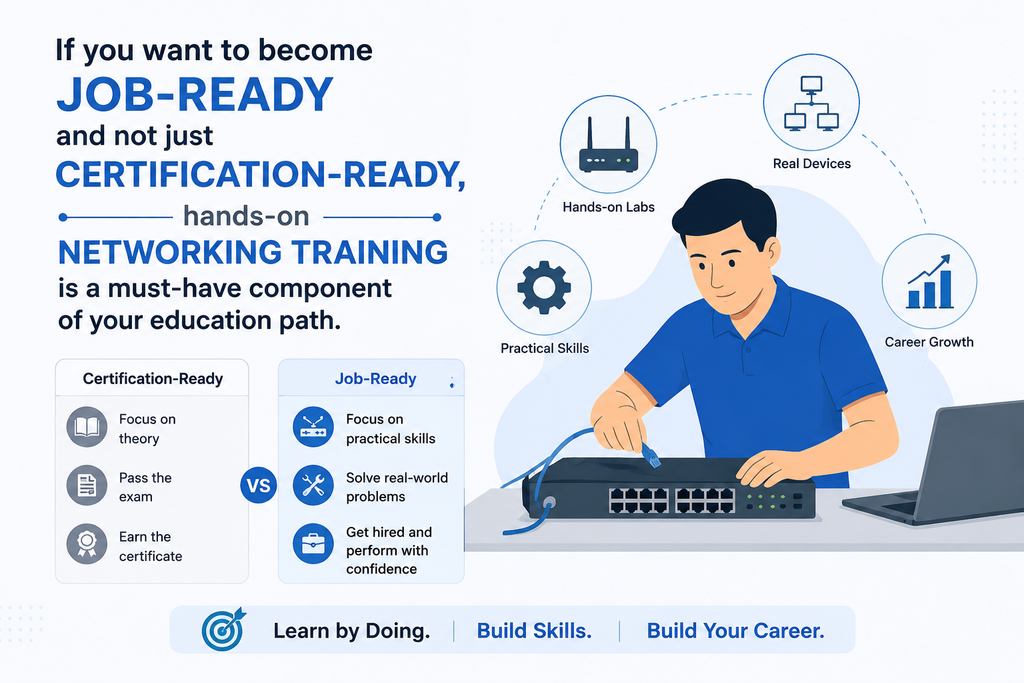
If you want to become job-ready, not just certification-ready, hands-on networking training is a must-have component of your educational path.
What is a Networking Lab?
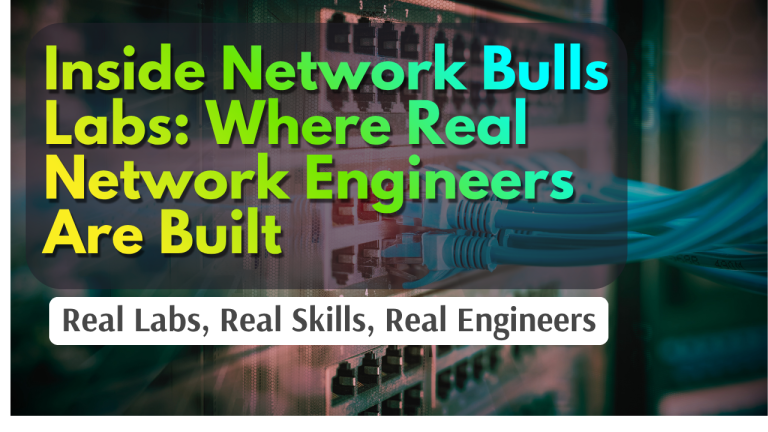
Networking labs are learning environments well equipped with enterprise-grade networking hardware and infrastructure similar to what networking experts use in real-time.
Features of a typical Cisco network lab include:
- Cisco routers
- Layer 2 and Layer 3 switches
- Firewalls
- Servers
- Wireless access points
- Console cables
- Cables for Ethernet and fiber optics
- Patch panels
- Network racks
- Networking accessories
Unlike video tutorials and simulators, students can interact with networking equipment while assembling and troubleshooting their own networks in a lab.
While video tutorials may help students understand basic concepts of networking, and simulators are the best tools to practice commands from home, none of them is capable of offering students the experience of connecting the networking equipment, identifying defective hardware, changing cables, or bringing the router back to life when it won’t start.
That is how the mix of theoretical knowledge and practical experience turns students into true professionals.
Understanding Physical Network Devices
Watching a router operate in YouTube tutorials is very different from working with a networking device firsthand.
From the moment that students start working with enterprise devices, it becomes clear to them that each networking device has specific physical aspects that determine its implementation and troubleshooting processes.
In a Cisco routers and switches lab session, students will learn how to recognize:
| Interfaces and ports of devices | Console connections |
| Power supplies | Boot-ups |
| LED indicators | Rack-based equipment |
| Labels of hardware | Resetting options |
None of these aspects can be learned from videos only.
For instance, the reasons why an LED interface on a certain device stays amber or why a switch doesn’t boot after an outage will become clearer when students actually work with the device.
Such practical knowledge greatly reduces anxiety during technical interviews and in workplaces because the hardware is well known to students.
Learning Correct Cabling and Connectivity
One of the most underrated networking skills in practice is cabling.
While a networking video could demonstrate various standards of Ethernet or fibre connectivity, actually connecting numerous devices is something that cannot be taught using animated presentations.
The students receive hands-on experience in:
- Selection of appropriate Ethernet cables
- Connection of fibre links
- Crossover and straight-through connections
- Patch panel arrangement
- Cable labeling
- Problems with cable management
- Physical connection testing
- Faulty cables identification
- SFP and connectivity
It is quite surprising to see how many networking problems are related to purely physical issues rather than configuration settings.
Being able to detect loose or damaged cables and incorrect interface connections helps gain valuable experience that employers highly value.
These are networking skills that cannot be acquired from online videos.
Configuring Routers and Switches through CLI
Cisco CLI continues to be one of the key skills needed by any network engineer.
Whereas videos show you commands, actual training in CCNA enables the trainee to set up whole enterprise networks from scratch.
In CCNA practical lab, the students get to set up:
- Management of devices
- Routers’ interfaces
- VLANs
- Trunking
- Routing between VLANs
- Static routing
- Dynamic routing protocols such as OSPF
- ACL
- NAT
- DHCP
- SSH
- Port Security
Entering commands on your own is completely different from watching others doing it.
The trainees will learn command syntax, correct syntax, sequence of configuration, and troubleshooting of configurations that work differently than expected.
This helps build true confidence with Cisco CLI.
Developing Troubleshooting Skills
Configuring the network is only one side of networking.
Being able to troubleshoot separates novices from experts.
Problems in enterprise networks seldom come from one clear error; rather, problems can arise due to multiple machines, incorrect configuration, interface errors, route failures, or even hardware failures.
In a realistic network laboratory, students encounter issues like:
- VLAN connectivity issues
- Routing loop
- Wrong subnetting
- OSPF neighbour failure
- Access control list blocking
- NAT mapping issues
- Duplex mismatch
- Interface shutdown
- Hardware problems
- Cable issues
Students don’t get an ideal laboratory environment; instead, they learn how to find, isolate, test, and fix problems themselves.
Learning these troubleshooting skills equips students for technical support, NOC work, and enterprise network engineering positions.
Learning Verification Commands
Professional network engineers always verify any configuration that they perform.
Networking is not only about performing commands but also verifying if the performed command yielded the desired result.
Students practice verification commands like:
- Show ip interface brief
- Show running-config
- Show vlan brief
- Show interfaces
- Show ip route
- Show access-lists
- Show spanning-tree
- Show cdp neighbours
- Ping
- Traceroute
Verification develops analytical skills.
Rather than taking for granted that the network is working properly, students start verifying each configuration by themselves using actual output from devices.
This becomes very useful in enterprise-level networks when even small mistakes can affect hundreds of users.
Dealing with Device Problems and Unexpected Results
Perhaps one of the best features that device networking training offers is dealing with problems during training.
Unlike videos, actual labs involve problems like:
- Devices not starting up
- Problems with initial setup configuration
- Password recovery
- Interface problems
- Broken configuration
- Hardware replacement
- Trouble connecting to console
- Firmware problems
All of the above make one patient and logical.
Each problem solved makes you more confident about your skills.
Over time, dealing with real problems makes you feel more comfortable under pressure. This is crucial for any professional network engineer.
Fostering Collaboration and Communication Skills
Network professionals almost never operate in isolation from others.
The design, configuration, monitoring, and maintenance of enterprise networks require teamwork.
An introductory course to networks and its associated lab practice can help build collaboration skills through joint work on an enterprise topology.
This includes being able to:
- Collaboratively configure the devices
- Communicate technical details with fellow students
- Describe your approach to troubleshooting
- Document changes in configurations
- Communicate faults
- Perform a systematic troubleshooting process
- Handle common lab resources
Soft skills are extremely important in NOCs, technical support services, infrastructure management, and enterprise networking positions.
Simulators vs Real Networking Labs
The argument between simulation and physical labs may lead to unnecessary confusion.
In fact, both of these have their own place in networking education.
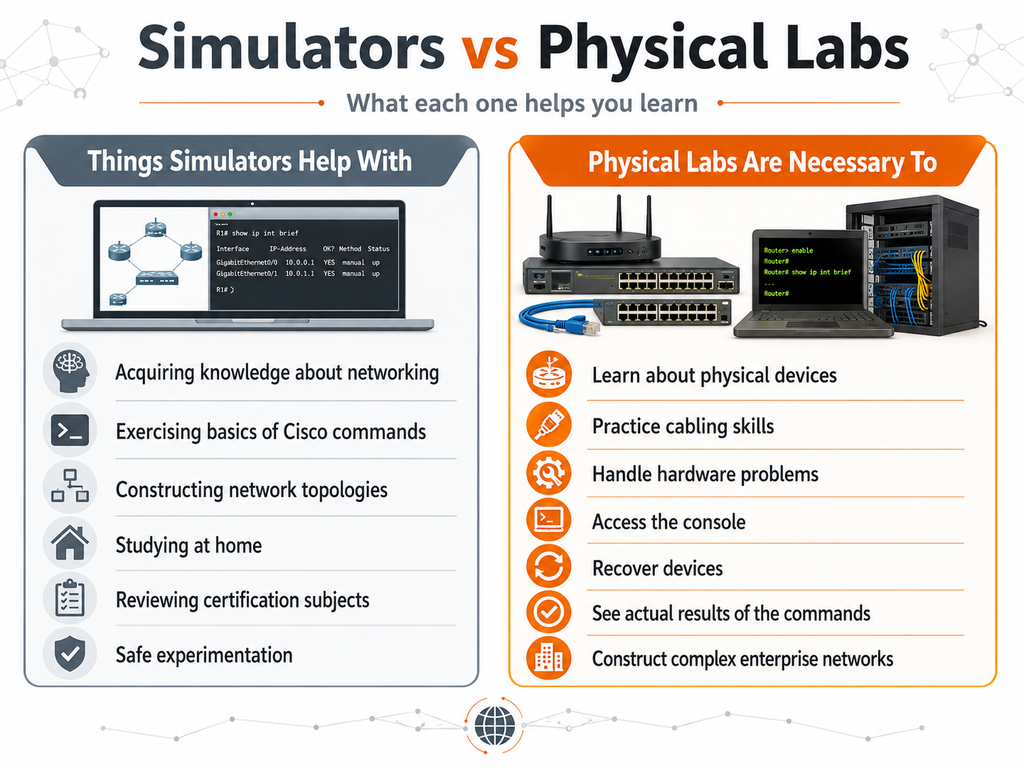
The aim is never one option versus another.
What is needed is a combination of simulation and a real networking lab, rather than a simulation-only approach, where simulators support repetition and physical labs support practical mastery.
It will bring success both on the certification exam and in work practice.
How Lab Experience Enhances a Resume
Recruiters are more interested in applicants who exhibit real-life experience instead of merely mentioning their qualifications.
It is vital for students to display their practical experience in networking by working on:
- Routing and switching labs
- Lab VLANs
- Labs for configuring OSPF networks
- ACL configuration
- NAT configuration
- Network security labs
- Network troubleshooting labs
- Network configuration backup and verification reports
- Network diagrams
An excellent example of a resume bullet is given below:
Configured and troubleshot a multi-router and multi-switch topology with the help of VLAN, trunking, inter-VLAN routing, OSPF, ACLs, and NAT on Cisco devices.
Such project-based experience can make the candidate an ideal interviewee.
Networking Career Route Based on Practical Study
The process of developing skills to become a network engineer needs to be structured step-by-step.
The practical learning pathway is structured as follows:
Study theory → Practice using simulators → Configure devices → Debugging → Completing tasks → Getting prepared for job interviews → Applying for networking positions
Generally, a learning program starts with:
- Introduction to Networking
- CCNA
- CCNP Enterprise
- CCIE Enterprise
Once students become more skilled, they may move on to specialization in:
- Network Security
- Firewalls
- Cybersecurity
- AWS Cloud
- Cloud Security
- Data Center Technologies
- SDN
- Network Automation
Such an incremental development path allows students to gain theoretical knowledge and practical skills.
How Network Bulls’ Labs Support Practical Learning
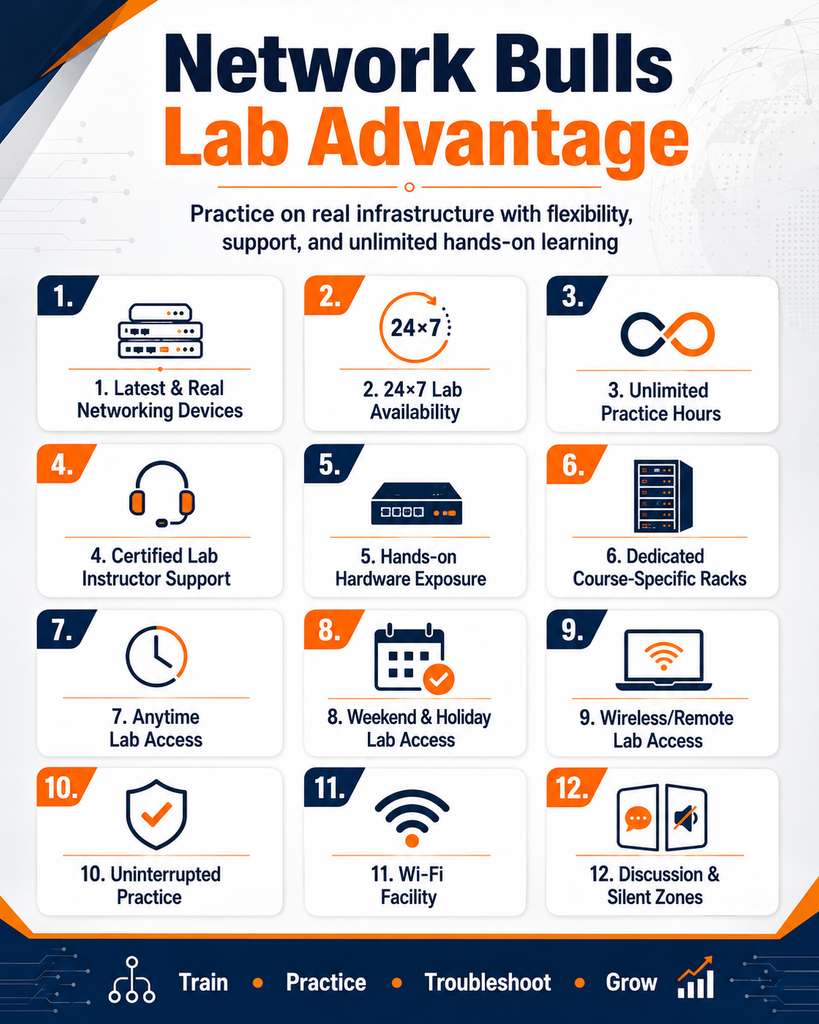
One thing is understanding the significance of practical learning – and quite another is having access to enterprise-class hardware.
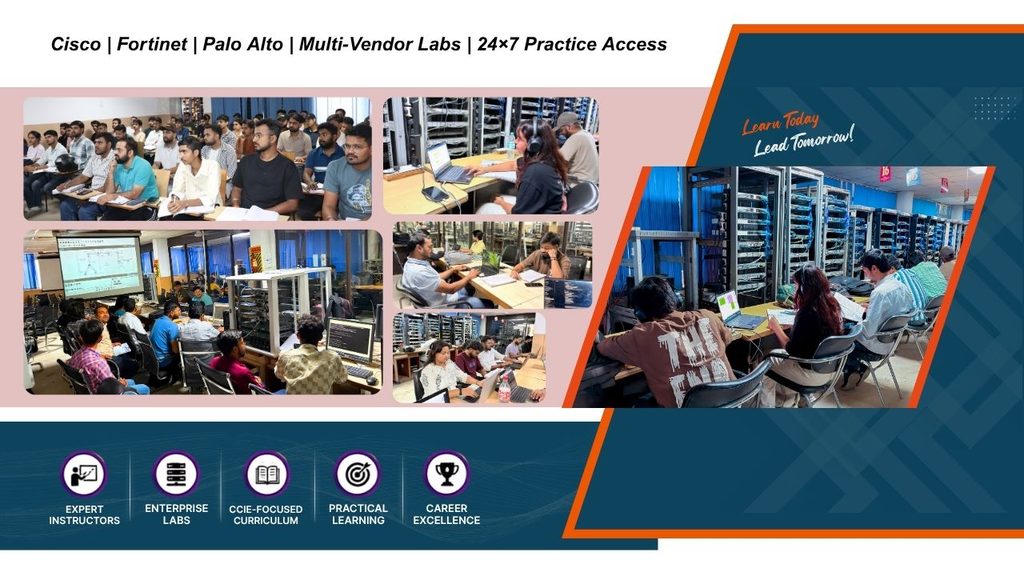
The Network Bulls’ lab is built to give students ample hands-on experience using various networking technologies.
Some of the benefits students get include:
- Cisco routers and switches
- Networking labs
- Firewalls and security appliances
- Enterprise class network architectures
- Routing and switching configurations
- Practical exercises
- Troubleshooting sessions
- Instruction by lab instructor
- Practice time
As opposed to cramming certification questions, students should learn how to comprehend various technologies, configure them on their own, validate each of the implementations and troubleshoot until reaching the right solution.
Such an approach can help bridge the gap between certification prep and industry requirements.
Career-Focused Courses at Network Bulls
Those who want to start their careers in networking can go through many of these career-oriented courses provided by Network Bulls, such as:
- Training for CCNA Certification
- Enterprise Training for CCNP Certification
- CCIE Enterprise Integrated Course
- CCIE Security Integrated Course
- Cybersecurity and Network Security Course
- Cloud Security and Network Security Course
- Firewall Course
- AWS Cloud Course
- Network Automation Course
Many career-oriented courses include:
- Technical training
- Lab work
- Troubleshooting experience
- Development of communication skills
- Resume writing help
- Interviewing techniques in IT sector
- Placements opportunities
It should be kept in mind that job guarantee eligibility depends upon the course chosen by you and its respective terms and conditions.
Conclusion
Video tutorials are great sources of information, but only to a certain extent.
They cover theoretical aspects of configuring different setups, preparing you for certification tests, etc. But they cannot replace the self-confidence gained from connecting devices, configuring corporate networks, dealing with various failures, and resolving networking issues using your own hands.
This confidence is obtained in real-world networking labs.
Every single connection of a cable, configuration of a router, troubleshooting exercise, and every successful command of verification makes you ready to face all the challenges you’ll have to confront in a career in networking. Your future employers will not just demand networking knowledge from you; they will demand practical skills in setting up, verifying, troubleshooting, and maintaining corporate networks.
So, if you really intend to become a professional network engineer, don’t just sit and watch configurations, but start configuring by yourself. Check out the practical networking courses of Network Bulls.
Check 100% Job Guarantee Courses
- CCIE Enterprise Infrastructure V1.0/R&S Training in India
- CCIE Security V6.1 Course
- Cyber Security & Network Security Course
- Cloud Security + Network Security Expert
Frequently Asked Questions!
Practical labs allow students to apply networking knowledge by working with real hardware, improving their troubleshooting skills, and gaining the confidence needed for future networking jobs.
Videos are very useful for gaining knowledge, but they cannot substitute for hands-on experience with hardware and actual cabling work.
It is possible to acquire skills in configuring routers and switches, using the Cisco command-line interface (CLI), cabling, VLAN implementation, routing protocols, network troubleshooting, network verification, handling hardware, and deploying networks in a team environment.
A standard Cisco network lab will contain routers, L2 and L3 switches, firewalls, servers, wireless, console cables, Ethernet and fiber optic cables, racks, and patch panels.
Simulators are best suited for concept and configuration practice, whereas the real network lab is for hands-on experience with physical equipment, cable wiring, hardware troubleshooting, console connectivity, and workplace readiness.