Being a newbie in IT networking can initially be thrilling for many reasons. You get to know about IP addresses, routers, switches, cables, and protocols and all of a sudden computers start making sense to you. However, very soon you start realising that networking is a subject that cannot be understood by simply studying theory.
Sometimes you may understand what an IP address is. Sometimes you may find yourself looking at a network topology and pondering over why two devices cannot communicate with each other.
This happens because IT networking is not only difficult but also an abstract concept. It is normal.
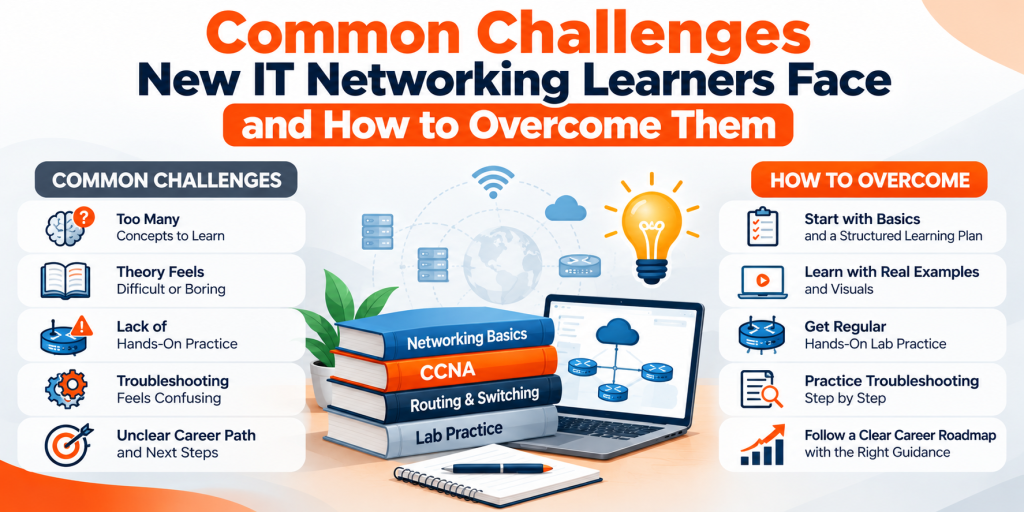
While the main challenge for newbies is not the difficulty of networking itself but rather learning networking. Since concepts overlap, troubleshooting takes time, and getting certifications like CCNA or CCNP is possible through a combination of theory and practice. And here is the good news – almost all newbies encounter the same roadblocks and can solve them with the right strategy.
In today’s blog, we will discuss the most common challenges of new networkers and solutions to overcome them.
Why Do Beginners Find IT Networking Challenging?
It is necessary first to comprehend why networking seems not easy right from the start before listing specific difficulties.

A person could know a certain term from the book but find it challenging to implement this knowledge during configuration on the router or troubleshooting networks.
It becomes much simpler when one stops demanding of oneself to know everything instantly and learns layer by layer.
1. Understanding Networking Fundamentals
The first difficulty beginners encounter is the overwhelming number of new terms.
IP addresses, subnets, DNS, DHCP, TCP/IP, VLANs, NAT, routing protocols, MAC addresses are just a few of them.
The issue intensifies when one tries to memorize their definition and function without comprehending their interrelation.
How to overcome it
Make sure you develop your fundamentals prior to learning advanced topics.
Your solid fundamentals will make most of the future networking concepts easier for you.
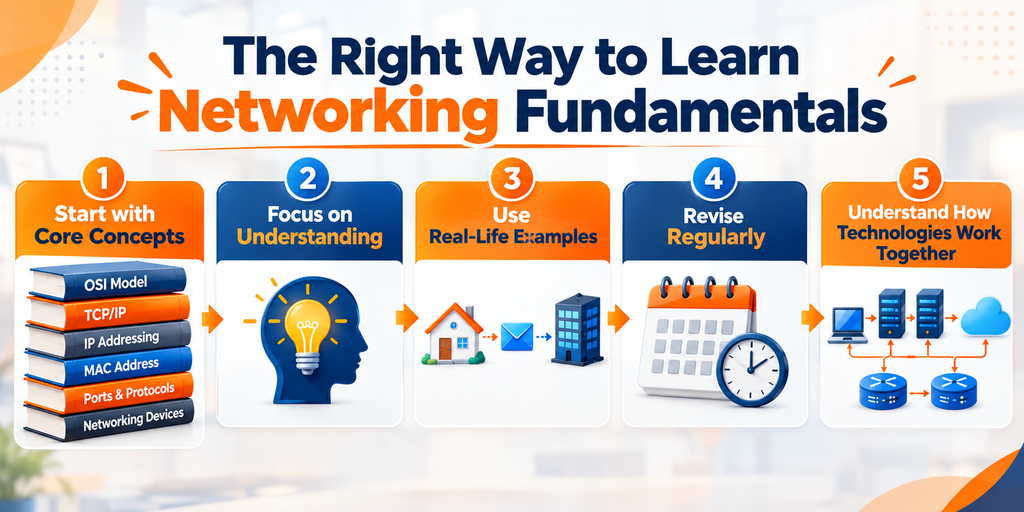
| Firstly, learn basic concepts like OSI and TCP/IP models, IP addressing, MAC addresses, ports, protocols, and basic networking devices. |
| Learn by comprehension rather than by memorization: think what problem each technology solves and why it is needed. |
| Take real-life example: think of an IP address as an address which enables data to get to its destination. |
| Revise regularly: revise previous concepts for about 15-20 minutes daily instead of revising everything before the exam. |
Learning fundamentals is worth more than learning ten advanced topics.
2. Subnetting Feels Like a Different Language
For a novice in networking, subnetting is the point where networking starts to look really intimidating.
Notations like CIDR, subnet mask, network address, broadcast address, usable hosts, and binary calculations can be very confusing initially.
But it should be noted that subnetting is a skill and not a talent.
How to deal with it
Do not try to learn it all at once, but practice it on a daily basis.
| First of all, learn binary: understand the way bits work before remembering any shortcut for subnetting. |
| Start with small problems: Begin with easy /24 networks and advance to /27, /28, /29, and others. |
| Create a subnetting table: It is helpful to keep the common subnet masks and host range in mind while learning. |
| Calculate without checking the results: This will help you improve your calculation speed. |
| Use your skills in practice: Solve subnetting questions while building your own small network topologies. |
It is not just about calculating a subnet but understanding why and how this network was divided into smaller subnets.
3. Networking Theory Does Not Always Match Practice
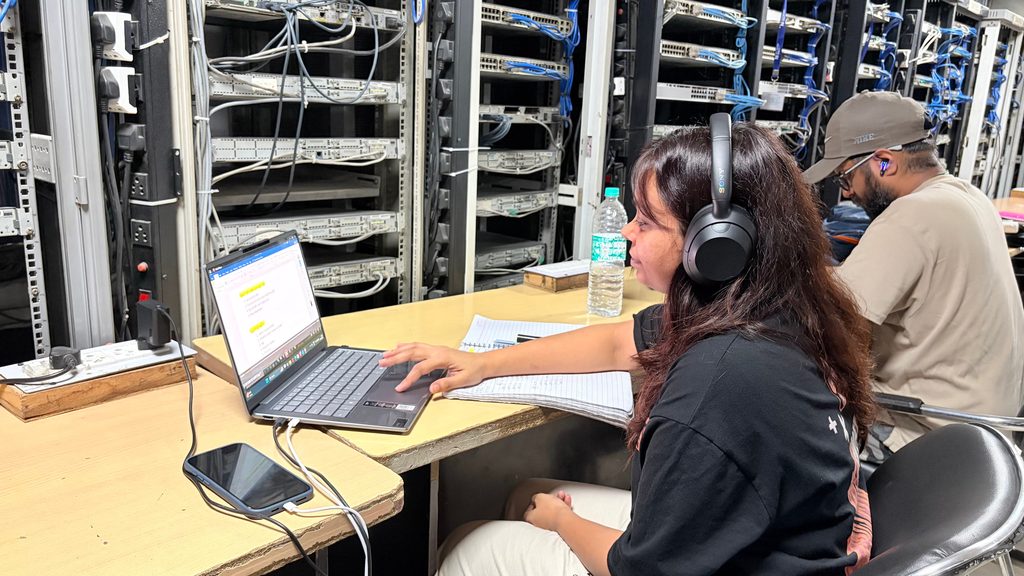
The typical experience of novice is:
“I have knowledge of the topic, but I do not know how to configure it.”
The reason is that studying theory of networking and doing network configuration are completely different tasks.
You know what VLANs are but find it difficult to configure them. You understand the concept of static routing but cannot connect two networks properly.
How to overcome it
Take lab practice regularly while studying networking.
| Build simple labs starting from two PCs and one switch up to more complex topology. |
| Use network simulators like Cisco Packet Tracer to practice configurations for beginners. |
| Configure after you learned something: After studying VLANs you should start configuring VLANs in your lab. |
| Make errors deliberately: Change configurations and see what will happen. |
| Keep logs of your labs: Document all commands, mistakes and solutions in order to be able to check them later. |
Remember: reading helps you know what networking labs help you understand how it works.
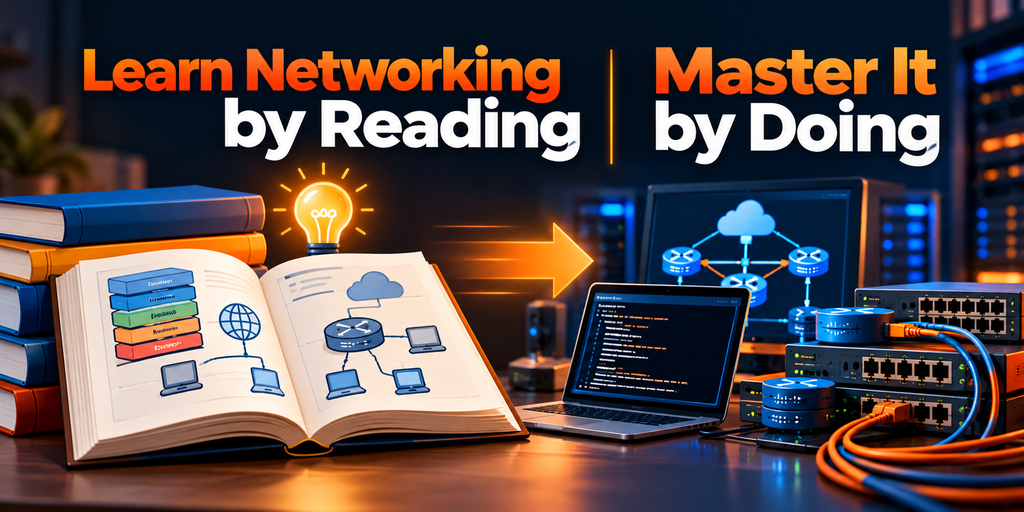
4. Fear of Command-Line Interfaces
Opening up the command-line interface of a networking device can be scary for people new to the field of IT.
The commands may seem like an arbitrary combination of words and symbols and beginners fear that even one command typed incorrectly may ruin everything.
However, making mistakes and experimenting in a lab setup is perfectly fine and normal.
How to overcome it
The best way to gain confidence in using commands on networking devices is constant practice.
| Study the commands according to their function and not just by trying to memorize them. |
| Start practicing basic configurations of hostname, passwords, interfaces, VLANs, and routing. |
| Learn show commands in order to check the configuration and see the status of the device. |
| Keep a list of common commands in a notebook. |
| Practice troubleshooting and don’t reset the device immediately upon encountering a problem. |
With time, the command-line interface will not seem complicated anymore.
5. Troubleshooting Can Feel Overwhelming
Effective troubleshooting is one of the essential abilities for an IT network engineer—perhaps the most challenging to learn.
Think about two computers that fail to connect to each other. Is the cable unplugged? Does the interface malfunction? Is the IP address wrong? Has there been some error in configuring the subnet mask? Could there be problems with a VLAN? Routing failure?
There may be many reasons.
How to overcome it
Never troubleshoot blindly. Create your own troubleshooting approach.
| First, check whether physical connections are established and devices are turned on. |
| Then, review all configurations, from IP addresses and subnet masks to gateways, VLANs, and routing. |
| Proceed with step-by-step testing for connectivity, using pings and traceroutes to pinpoint the problem area. |
| Make only one change at once to avoid confusion about the cause of the problem. |
| Record the problem details: what was wrong, what you tested, and how you fixed it. |

6. Trying to Learn Too Many Topics at Once
Networking has an immense ecosystem. People who are new in networking move from one topic to another such as CCNA, cyber security, cloud networking, Linux, Python, firewalls, wireless networking, and DevOps.
Though it is important to remain curious always, jumping topics frequently can hinder your learning progress.
How to overcome it
Draw up a roadmap to learn.
| Select one main objective: either networking basics or preparing for an entry-level networking certification. |
| Learn in an organized way: Basics → switching → routing → basic security → troubleshooting. |
| Do not use too many materials: Two good courses and practice materials can do better than using tens of them. |
| Finish one topic before proceeding: Give time to learn and practice every main concept. |
| Keep track of your progress: Keep a list of concepts learned, labs, and troubleshooting scenarios solved. |
Learning networking is like running a marathon. Consistency will beat information overflow.

7. Lack of Consistency
A learner may choose to learn networking for 4 hours on Sunday and not at all for the remaining 6 days.
This will lead to a very irritating cycle of intense learning, forgetting concepts, revising all that and feeling like being stuck in place.
How to beat it
You do not necessarily have to take long periods of studying. What you need is a sustainable process of learning.
| Set realistic daily goals: even 60-90 minutes of intensive learning can make a difference. |
| Plan your session: devote some time to theory, move on to the lab and revise. |
| Set up weekly objectives: for instance, finish VLANs and inter-VLAN routing within a week. |
| Keep a learning log: write down what you’ve learned and what you have problems with. |
| Revising: regular revising helps to remember older concepts. |
Inconsistent learners who study for one hour each day may achieve more than consistent learners who spend eight hours once a week.
8. Comparing Yourself With Other Learners
You might run into someone who can subnet fast, set up routers easily, or is already certified.
This comparison may negatively affect your confidence.
Bear in mind that each student has his or her starting point. The development rate of another individual will not affect yours.
How to deal with it
Set realistic personal goals.
| Compare yourself with your former self: Are you able to subnet quicker now compared to the month before? |
| Celebrate success: You made your first VLAN configuration successfully, and this is great! |
| Ask questions: Do not be afraid to ask for clarification on a confusing topic. |
| Learn from other students: Take their knowledge as an inspiration, not a challenge. |
| Make mistakes: Wrong configurations are all part of acquiring technical skills. |
Your aim is not to outpace all the other students in learning. Your aim is to become a good networking specialist.
9. Difficulty Connecting Networking to Career Opportunities
It can also be difficult to understand how to relate classroom knowledge to an IT networking career.
A beginner might think:
“I have understood the concepts of CCNA, but what am I supposed to do in a networking job?”
This is a significant question.
How to address it
Relate technical concepts to real responsibilities in the workplace.
| Learn about jobs: Research jobs like Network Support Engineer, NOC Engineer, Network Administrator, and Junior Network Engineer. |
| Read job descriptions: Understand the networking skills that employers look for in potential employees. |
| Make projects: Design a network yourself and document your configuration. |
| Learn troubleshooting: It will be an asset to be able to investigate and solve problems. |
| Learn communication: It will be necessary for you to be able to communicate problems to other people. |
Certifications will help your career, but practical skills, problem-solving ability, and communication skills will make your certifications more valuable.
10. Feeling Discouraged by Slow Progress
The greatest challenge, perhaps, is being frustrated.
You prepare for months but still have issues remembering commands. Subnetting remains difficult. Your lab fails. You see other people making more progress.
This may leave you questioning whether networking is something you should continue doing.
How to handle it
Keep in mind that technical confidence comes with practice.
| Understand the learning curve: Difficult ideas are no proof of inability. |
| Work on big topics bit by bit: Rather than trying to “learn routing,” break it down into single ideas. |
| Practice difficult labs again: Doing so makes the unfamiliar become familiar. |
| Have a journal of mistakes: Mistakes can become one of your greatest learning sources. |
| Revisit your progress: Concepts which were hard for you before will now be familiar. |
Measure your progress not in terms of what you don’t know yet, but of what you can do now.
A Simple Learning Strategy for New Networking Students
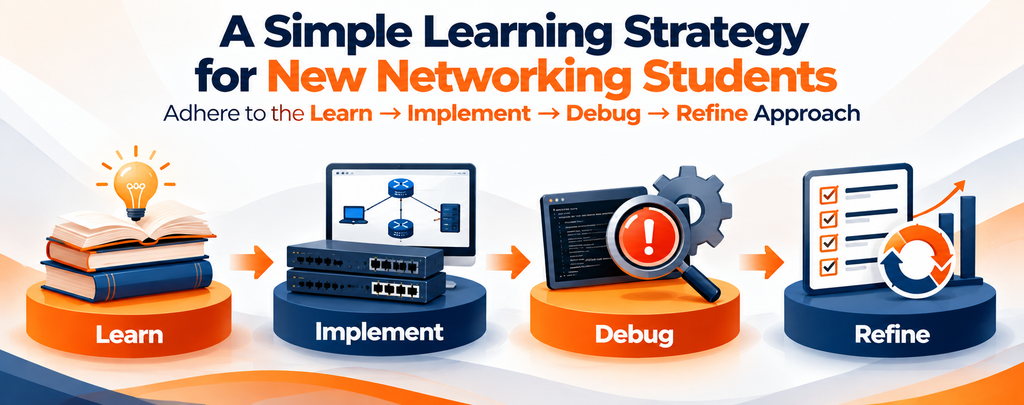
Final Thoughts!
Learning IT networking requires patience, effort, and determination, and at times, it may appear tough. But then again, it is those challenges that make the course exciting.
Do not expect to overcome all the difficulties in the learning process. What matters most is developing a learning strategy that will assist you in overcoming the challenges.
Develop your foundation. Study hard. Carry out networking experiments. Make mistakes and learn from them. Do not engage in unnecessary comparisons. Develop a learning path and link it with networking situations in the real world.
However, it is essential to note that you cannot be a network engineer overnight.
Each of the networking experts who have made it had to struggle with what currently appears to be elementary ideas. Your first configuration will be difficult, the first troubleshooting lab will take you a lot of time, and even the first certification will not be within reach immediately—but all these are steps that will bring you closer to being an accomplished networking expert.
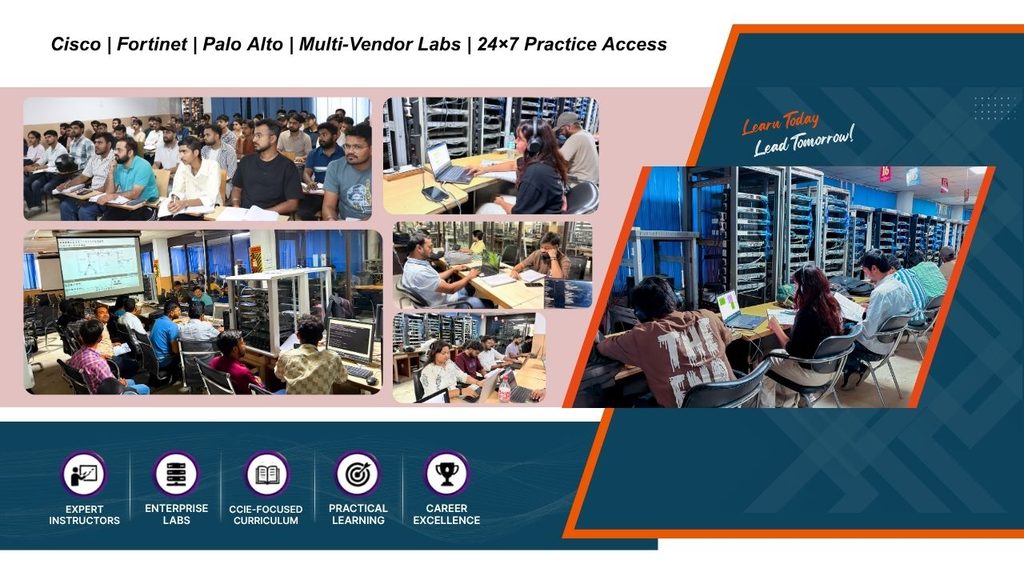
Check 100% Job Guarantee Courses
- CCIE Enterprise Infrastructure V1.0/R&S Training in India
- CCIE Security V6.1 Course
- Cyber Security & Network Security Course
- Cloud Security + Network Security Expert
Frequently Asked Questions!
Some of the challenges encountered are learning about basic networking, subnetting, CLI, troubleshooting, no hands-on experience, irregular study habits, information overflow, and the inability to relate theoretical knowledge to real-life networking careers.
To successfully learn IT networking, beginners must first understand the basics of networking and gradually proceed to learn about switching, routing, security, and troubleshooting. One of the most successful ways to learn networking is through theory and hands-on labs.
To solve subnetting, you must have an understanding of the binary numbering system, IP addressing, subnet mask, and CIDR notation. It also takes practice and not just memory to solve subnetting. Solving subnetting problems daily can make it easy for you.
Yes. Through hands-on practice, learners get insight into how the theories apply to practical networking scenarios through building labs, configuring hardware, testing connections, and troubleshooting any faults that might arise.
It depends on how you have been exposed to this kind of study, how you study, and what level of knowledge you want to acquire. It takes a few months to have a solid base knowledge of IT networking.